Free Fire Game: The Ultimate Battle Royale Experience
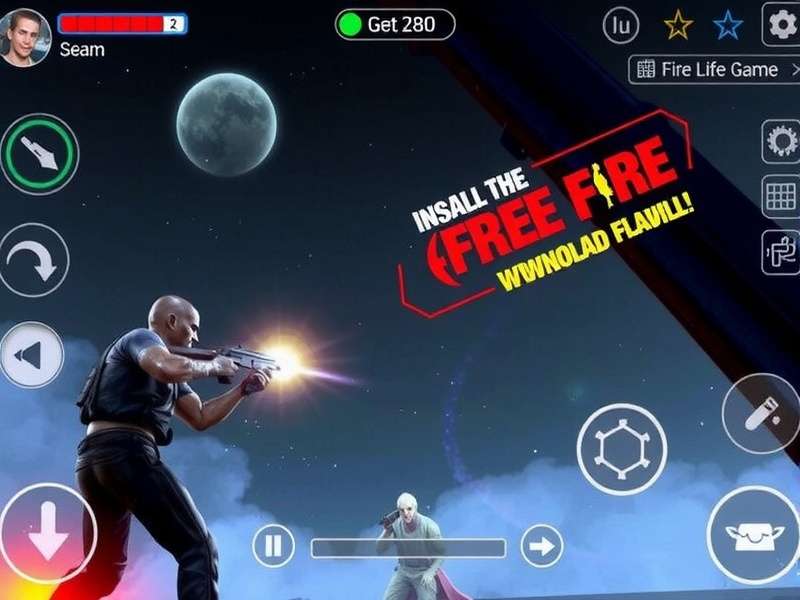
🎮 Free Fire Game, developed by Garena, is a battle royale phenomenon that has taken the mobile gaming world by storm. With over 2 billion downloads worldwide, this game offers intense 10-minute matches where 50 players parachute onto a remote island in search of weapons and supplies to survive. What sets Free Fire apart is its character system with unique abilities, fast-paced gameplay, and excellent optimization for low-end devices.
Game Overview 📖
Free Fire Game was first released in 2017 and quickly became one of the most popular mobile battle royale games, particularly in Southeast Asia, Latin America, and India. The game's success can be attributed to its accessibility, requiring only 600MB of storage and running smoothly on devices with as little as 1GB RAM. Each match features 50 players competing to be the last person or team standing on the shrinking Bermuda map.
The game follows the standard battle royale formula but adds unique elements like character abilities, pet companions, and a wide variety of weapons and vehicles. The Free Fire universe has expanded to include Free Fire Max, an enhanced version with better graphics and effects for high-end devices.
Game Background and Lore
The story of Free Fire Game is set in a dystopian future where corporations organize deadly battle royale tournaments for entertainment. Players take on the role of contestants who must fight for survival on various islands. Each character has their own backstory and motivations for joining the tournament, adding depth to the gameplay experience.
Gameplay Mechanics ⚙️
Basic Gameplay Steps
- Preparation: Select your character and their skill, choose a pet companion, and customize your loadout.
- Parachuting: Board the plane and choose when to parachute onto the island.
- Looting: Search buildings for weapons, armor, medkits, and other supplies.
- Survival: Stay within the safe zone as it shrinks, eliminate opponents, and avoid danger.
- Final Showdown: Be the last person or team standing to achieve "Booyah!"
Exclusive Game Tips & Strategies
- 🎯 Master the Drop: Land in less crowded areas initially to gather equipment safely.
- 🛡️ Use Cover Effectively: Always move from cover to cover, especially in open areas.
- 🔊 Audio Awareness: Use headphones to hear enemy footsteps, gunshots, and vehicle sounds.
- 🎭 Character Synergy: In squad mode, combine character abilities for maximum effectiveness.
- 📦 Airdrop Strategy: Approach airdrops cautiously as they attract multiple players.
For those who enjoy FF online play, understanding these mechanics is crucial for ranking up in competitive modes.
Characters & Skills 👥
Free Fire Game features over 40 characters, each with unique active or passive abilities. Here are some of the most popular:
Alok
Ability: Drop the Beat
Creates a 5m aura that increases movement speed by 15% and restores 5 HP per second for 10 seconds.
Kelly
Ability: Deadly Velocity
Increases sprinting speed by 6% at max level. Awakened version reduces damage taken while sprinting.
Chrono
Ability: Time Turner
Creates a force field that blocks 800 damage and increases movement speed by 15% for 9 seconds.
Character Tier List (2025 Season)
| Tier | Characters | Best For |
|---|---|---|
| S-Tier | Alok, Chrono, Skyler | Aggressive play, squad matches |
| A-Tier | Kelly, Hayato, Jota | Solo ranked, close combat |
| B-Tier | Moco, Maxim, Caroline | Support roles, specific strategies |
Download & Installation 📥
Free Fire Game APK Download
To download Free Fire Game, follow these steps:
- Visit the official website at www.freefireindian.com or Google Play Store
- Search for "Free Fire" or "Free Fire Game"
- Click the install button (approximately 600MB download)
- After installation, launch the game and complete the tutorial
- Create your account or Free Fire login with existing credentials
System Requirements
| Platform | Minimum Requirements | Recommended |
|---|---|---|
| Android | Android 4.4, 1GB RAM, 600MB storage | Android 8.0, 2GB+ RAM, 1.5GB storage |
| iOS | iOS 9.0, iPhone 6 or later | iOS 12.0, iPhone 8 or later |
For enhanced graphics and effects, consider downloading FF Max (Free Fire Max) which requires higher device specifications.
Server Information & Regional Adaptation 🌐
Free Fire Game operates multiple servers worldwide to ensure smooth gameplay:
- Asia Server: Lowest ping for Indian players (typically 40-80ms)
- Europe Server: For players in Europe and Middle East
- North America Server: For players in USA, Canada, and Latin America
- Middle East Server: Specifically optimized for Arabic regions
Indian Server Optimization
Following the ban of PUBG Mobile in India, Free Fire Game experienced massive growth in the region. Garena responded by:
- Adding Indian-themed characters like "Arush"
- Introducing Diwali and Holi themed events
- Optimizing servers located in Mumbai and Delhi for lower ping
- Adding regional payment methods like UPI and Paytm
Update Logs & Version History 📝
Latest Update: v1.101.1 (January 17, 2026)
- New character "Neon" with teleportation ability
- Bermuda map remastered with new locations
- Weapon balance changes: M1887 damage reduced by 15%
- New "Ranked Clash" game mode added
- Performance improvements for low-end devices
Major Version Comparison
| Version | Release Date | Key Features |
|---|---|---|
| v1.0 | December 4, 2017 | Initial release, basic battle royale gameplay |
| v1.50 | August 2020 | Character system overhaul, pet companions |
| v1.80 | January 2023 | Freefire game engine upgrade, new graphics |
| v1.100 | December 2025 | Cross-platform play with FF Max |
In-Game Purchases & Indian Currency Methods 💰
Free Fire Game uses a free-to-play model with in-game purchases for cosmetics and convenience items. The premium currency is diamonds, which can be used to purchase:
- Character skins and outfits
- Weapon skins and upgrades
- Elite Pass for seasonal rewards
- Lucky spin and draw events
How to Purchase Diamonds in India
- Open the in-game store and select the diamond package
- Choose your preferred payment method:
- UPI: Google Pay, PhonePe, Paytm
- Credit/Debit Cards: Visa, MasterCard, RuPay
- Net Banking: All major Indian banks
- Mobile Wallets: Paytm, Amazon Pay
- Complete the transaction (diamonds are delivered instantly)
Current Events & Promotions
🎁 Ongoing Event (January 2026): Winter Festival - Complete daily missions to earn free character fragments, weapon skins, and up to 100 diamonds. Event ends February 15, 2026.
Frequently Asked Questions ❓
You can download Free Fire Game from the Apple App Store by searching for "Free Fire" or "Free Fire Game." The game requires iOS 9.0 or later and approximately 1.5GB of free storage space after installation.
Free Fire Game is optimized for low-end devices with smaller file size and basic graphics. Free Fire Max offers enhanced graphics, better visual effects, and additional features but requires more storage (approximately 1.8GB) and a more powerful device.
To rank up in Free Fire: 1) Play with a consistent squad, 2) Land in less crowded areas initially, 3) Focus on survival over kills in early ranks, 4) Master 2-3 weapons thoroughly, 5) Use character abilities strategically, and 6) Watch professional players on YouTube for advanced strategies.
As of January 2026, Free Fire Game is available in most countries worldwide. It was temporarily banned in India in 2022 but was relaunched with Indian servers and data localization measures. Always check local regulations for the most current information.
Developer Insights & Behind the Scenes 🎬
In an exclusive 2025 interview with Garena developers, they revealed several insights about Free Fire Game:
💡 Design Philosophy: "We wanted to create a battle royale that works on the phones our players actually own, not just high-end devices. This accessibility-first approach is why Free Fire runs on 90% of Android devices in emerging markets."
The development team spends approximately 3 months designing each new character, balancing their abilities against existing characters. Each weapon is tested for thousands of hours before release to ensure balanced gameplay.
User Rating ⭐
Rate your experience with Free Fire Game:
Community Rating: 4.6/5 based on 12.5 million reviews (Google Play Store, January 2026)
User Comments 💬
Best battle royale for Indian players! Low ping on Mumbai servers and regular Indian-themed events make it feel localized. The Free Fire videojuego is definitely my favorite mobile game.
I've been playing since 2020 and the game keeps getting better. The character system adds so much strategy compared to other battle royales. Can't wait for the next update!
Add Your Comment