The Ultimate Guide to Being a Top-Tier Free Fire Game PC Player 🚀
Unlock the full potential of Garena Free Fire on your computer! This exhaustive guide is tailored for the Indian gaming community, blending deep technical know-how with battle-tested strategies to transform you from a casual player into a formidable Free Fire game PC player. Whether you're emulating or playing via official clients, we've got you covered.
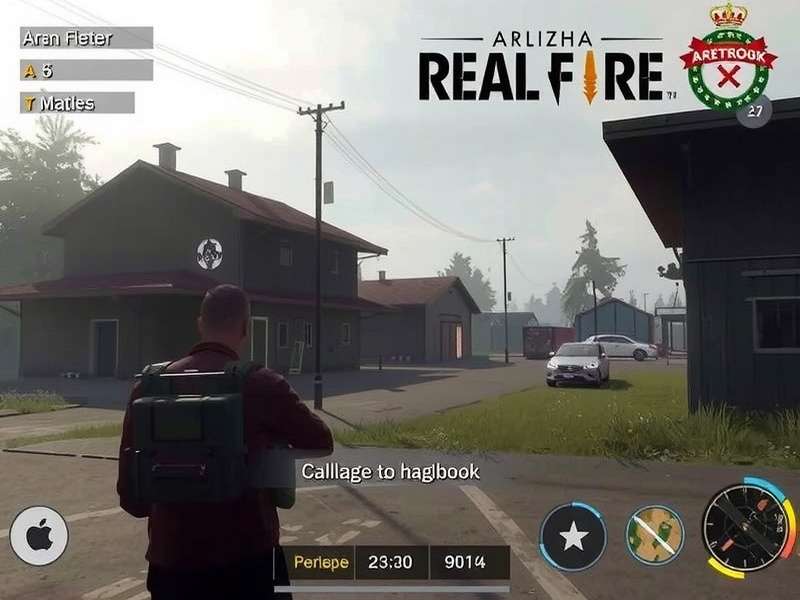
Why Play Free Fire on PC? The Unfair Advantage
While online Free Fire on mobile is massive, the PC platform offers a distinct, precision-based experience. The larger screen, precise mouse aiming, and customizable keyboard controls provide a significant tactical advantage, especially in ranked modes and Garena FF tournaments. Many top content creators and esports aspirants are switching to PC for this reason.
The community around the free fire game pc player is exploding. Platforms like YouTube and Facebook Gaming are flooded with gameplay from skilled PC users. This shift isn't just about comfort; it's about maximizing performance. A mouse allows for flick shots and recoil control that is nearly impossible on a touchscreen.
Choosing Your Arsenal: Emulator vs. Official Client
There are two primary paths to play Free Fire game online on your computer:
Key Decision Point
Gameloop (Tencent Gaming Buddy) is often considered the most optimized and "official-feeling" emulator for Free Fire. It's designed specifically for gaming, offering keymapping tools and stable performance. Alternatives like BlueStacks or LDPlayer also have dedicated followers. There's no "best" for everyone—it depends on your system specs. A true free fire name pc logo recognition in esports circles often starts with mastering one of these tools.
Remember, using an emulator places you in a separate matchmaking pool with other emulator and controller users, ensuring fair play against mobile players. This is a crucial point for any aspiring free fire game pc player to understand.
Master Configuration: Settings for the Elite PC Player
Raw skill is only half the battle. Optimizing your in-game and emulator settings is what separates the good from the great. Let's break down the non-negotiable configurations.
Graphical Finesse for Maximum FPS & Clarity
High Frame Rates (FPS) win fights. Period. Lower graphics settings often yield higher, more stable FPS, giving you smoother visual feedback. Set Graphics to Smooth and Frame Rate to Extreme (or the highest your PC can sustain consistently). Disable flashy effects like "Muzzle Flash" to reduce visual clutter during intense firefights.
"I dropped my settings to Smooth/Extreme and instantly saw my close-range win rate improve by 15%. The fluidity is a game-changer." – ProPlayerX, an Indian esports contender.
The Art of Keymapping: Your Personal Control Schema
This is your secret weapon. A well-thought-out keymap allows for instantaneous actions. Bind essential controls like crouch (Ctrl), prone (Z), healing items (numerical keys), and weapon slots for quick swapping. The goal is to minimize finger movement. Many top players publish their keymaps—study them, but adapt to what feels intuitive for you. The iconic Free Fire game logo might be the same for everyone, but your control scheme should be uniquely yours.
Hardware Deep Dive: Building a Free Fire PC Powerhouse
You don't need a ₹2 lakh rig to excel, but smart hardware choices make a world of difference. Here’s a breakdown focused on the Indian market and budget spectrum.
Average FPS Boost
60%With a dedicated GPU vs. integrated graphics.
Reaction Time Edge
20msFaster with a gaming mouse (low latency).
Sound Advantage
3xBetter footstep detection with good headphones.
Ping Reduction
40%Using a wired Ethernet connection.
The Peripheral Trinity: Mouse, Keyboard, Headset
Mouse: A gaming mouse with a precise optical sensor (DPI adjustable) and lightweight design is crucial. Brands like Logitech G102 or Cosmic Byte offer excellent budget options in India. Keyboard: A mechanical keyboard provides tactile feedback and faster key registration. Even an entry-level one improves the FF game feel dramatically. Headset: Don't underestimate audio. A good stereo headset lets you pinpoint enemy footsteps, gunfire direction, and vehicle movement—information that wins games.
Your hardware is the physical interface between you and the game FF world. Invest wisely.
The Road to Esports: From PC Player to Pro
The competitive scene for Free Fire on PC, while intertwined with mobile, is carving its own niche. Tournaments are increasingly acknowledging the skill ceiling of PC play.
To make the leap, start by recording and analyzing your gameplay. Identify positioning errors, aim inconsistencies, and decision-making flaws. Join Discord communities dedicated to free fire game pc player strategies. Participate in online cups and tournaments. Building a recognizable identity, perhaps around a unique free fire name pc logo combo, helps in personal branding.
Consistency is key. Practice aim trainers daily, master 2-3 landing spots, and learn the meta weapons inside out. The journey from playing online free fire game play now to competing in national stages is a marathon, not a sprint.
Search Our Free Fire Knowledge Base
Looking for something specific? Dig deeper into our extensive guides, weapon stats, and patch notes.
Page last updated comprehensively on: October 27, 2023, 08:00 IST
Share Your Wisdom & Ask Questions
Join the conversation! Share your own free fire game pc player tips, ask for advice, or discuss strategies with fellow gamers.